

Care Proposals, deposits and Care Invoices
Price it once. Get approved and paid.
A new lobby installation or six months of weekly care: price it once in a Care Proposal, let your client approve it from a link, take the deposit, and send the Care Invoice from the same lines when the work is done.
Lobby display installation
Station Road retail
- Two planters, supplied and placed$1,240
- Plants and top dressing$620
- Delivery and installation$280
- Total$2,140
- Deposit on acceptance (30%)$642
Approval PendingIllustration · invented client · sample data
From proposal to paid
One installation, from Care Proposal to paid.
Follow a lobby installation through one record. Nothing is retyped between the proposal, the deposit and the Care Invoice, and nothing reaches your client until you send it.
- Price it onceThe lines of the installation: planters, plants, delivery and the install itself. A fixed price, or an hourly rate for work you can’t size yet.
- Send it as a Care ProposalSend the installation as a Care Proposal; a link in the email lets your client look it over. You choose whether a job needs approval; without it, the work is ready to schedule at once.
- Your client approvesFrom their phone or desk: approve, or decline with a reason. You see when it was opened and what they chose.
- The deposit comes firstA deposit is your choice too. Ask for a fixed amount or a percentage, and the installation shows Awaiting Deposit until your client pays it, then it’s ready to schedule.
- Start the installationOn installation day, press Start work: your client is emailed automatically that the lobby display is going in.
- Complete itPress Complete when the last plant is in. An email tells your client the work is done, and the Care Invoice opens with every line filled in.
- The Care Invoice is readyPrepared from the same lines, with the deposit already taken off. Review it, then send it with one click.
- PaidThe balance is recorded against the invoice and your client gets a confirmation.
Illustration · invented client · sample data. Amounts follow the market you choose at the top of the page.
After the last payment
A thank-you note, and the receipt to keep.
As soon as the balance clears, your client receives a thank-you from your company with the Care Invoice attached and marked paid: the receipt their office keeps on file. Open the attachment to see it the way they do.
- From:
- Your company
- To:
- Facilities manager · Station Road retail
- Subject:
- Your company - Payment received
Your company
✓Paid
Hello,
Thank you for choosing us. Your payment for the lobby display installation has reached us, and the Care Invoice is settled in full.
- Payment date
- Fri, Mar 20
- Payment method
- Card online
- Amount paid
- $1,498
- Remaining balance
- $0
Anything to ask about this payment? Simply reply to this email.
Care Invoice · INV-0642Lobby display installation
- Two planters, supplied and placed$1,240
- Plants and top dressing$620
- Delivery and installation$280
- Total$2,140
- Deposit paid · card online · Mar 9−$642
- Balance paid · card online · Mar 20−$1,498
- Balance due$0
Sample email and Care Invoice · invented client · amounts follow the market you choose at the top
Work Record · optional
Before, after and everything between — ready to share.
Each finished installation keeps its Work Record: what was done, before and after photos, the plants and materials used, and the time it took. Send it when your client asks, or whenever you’d like them to see the difference. It never sends itself, and the Care Invoice doesn’t wait for it.
- Assembled from the visit as it was logged
- Yours to send: on request or at will
- Kept with the client’s plant portfolio, sent or not
Work RecordLobby display installationStation Road retail · Tue, Mar 17 · Install teamReady · not sentSent to client · 4:52 pm
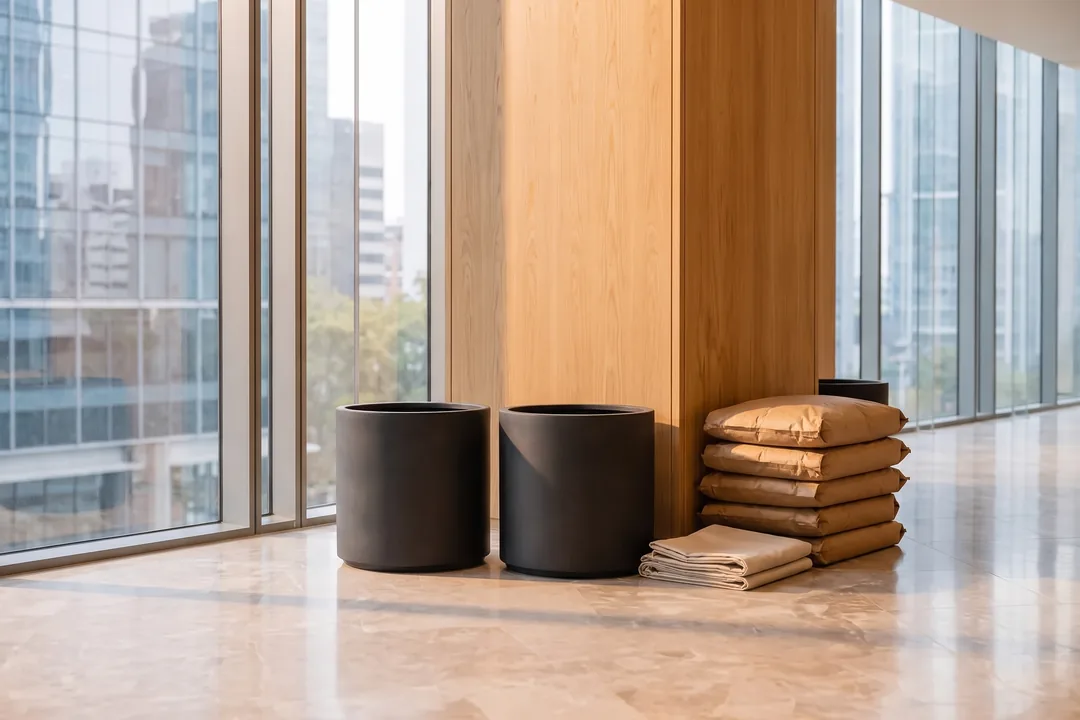

- Two planters placed and levelled
- Plants set, top dressing finished
- Watered in, first care visit booked
- Plants & materials
- 14 plants · 2 planters
- Time on site
- 4 h 20 min
Installer’s note The north planter gets strong afternoon sun: worth watching at the first care visit.
Illustration · invented client · sample data
Care plans
Six months of care, approved in one go.
Recurring care is priced the same way: one Care Proposal for the plan, each visit at its price. When your client approves it, the whole recurring plan is approved, and every visit lands on the Care Calendar.
- Each visit is its own record, with the plan’s price and work copied in.
- Extra work at an hourly rate: log the hours and they go on the Care Invoice.
- Print or save any proposal or invoice as a PDF.
Weekly care · Riverside offices
- Weekly care visit26 visits × $95
Recurring care plan · approving this proposal approves the full recurring plan.
Proposal approvedIllustration · invented client · sample data
Payments
Card online, or however clients pay where you work.
Choose how your clients can pay you in your payment settings. The methods follow your country, and the details you set print on your Care Invoice email.
Payment methodsUS
Card payments online · at launch
Your country’s methods
- Zelle
- Venmo
- Cash App
- PayPal
- ACH transfer
- Wire transfer
- Check
- Interac e-Transfer
- PayPal
- Bank transfer
- Wise
- Cheque
- SPEI
- OXXO
- BBVA transfer
- Santander transfer
- Mercado Pago
- PayPal
- Bank transfer
- Nequi
- Daviplata
- Bancolombia transfer
- PayU
- Bank transfer
- Cheque
- WebPay
- Redcompra
- MACH
- Servipag
- Khipu
- Bank transfer
- PayPal
- Mercado Pago
- TodoPago
- Bank transfer
- Ualá
- Rapipago
- PIX
- Boleto Bancário
- TED/DOC
- PayPal
- Mercado Pago
- Bank transfer
- PicPay
- Faster Payments
- BACS
- Monzo
- Wise
- Revolut
- SEPA transfer
- PayPal
- Bank transfer
- Revolut
- SEPA transfer
- PayPal
- Bank transfer
- Lydia
- Revolut
- Bizum
- SEPA transfer
- PayPal
- Bank transfer
- Revolut
- MB Way
- SEPA transfer
- PayPal
- Bank transfer
- Multibanco
- Revolut
- PayID
- BPAY
- PayPal
- Bank transfer
- POLi
- Bank transfer
- PayPal
Shown for the market chosen at the top of the page (the live site follows your location).
Next
The rest of the record.
Questions
About proposals and invoices
Is this working today?
FolioGreen launches soon. Care Proposals, deposits, Care Invoices and recorded payments are part of what it launches with; the scenes here are illustrations with an invented client.
Is the Care Invoice created automatically?
It’s prepared from the installation’s lines so there’s nothing to retype, but it only goes to your client when you review it and press send.
Can I take a deposit before an installation?
Yes. Ask for a fixed amount or a percentage on the Care Proposal; the installation is scheduled once your client has paid it.
Can my client pay by card?
Card payments online are planned for launch. You can also list your country’s own payment methods, and every payment is recorded against the invoice.
Does FolioGreen file my taxes?
No. It keeps your proposals, invoices and payments in order; tax filing stays with you and your accountant.
Founding access
From the first proposal to the last invoice, one record.
FolioGreen is launching soon. Request founding access for launch updates: a full name and a work email, confirmed by email before anything is sent.
Launching with a 14-day free trial. No card needed.
Coming soon Request founding access